
🎬Alight Motion vs Remini: [Video & Photo Editing App Comparison]

Reviews
6.3M
Version
Latest
Downloads
200M+
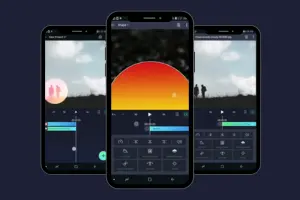
Alight Motion and Remini are two different video & photo editing apps. Both have famous editing tools that you can use them make professional videos. Alight Motion is a video editing and animation app, but Remini is a photo and video enhancement app. I will discuss the complete comparison of Alight Motion vs Remini in this article.
What is Alight Motion?
Alight Motion is one of the best video editing apps. You can download it and make professional videos. You can use animations, text effects, motion graphics, visual effects, and ready-made templates to make advanced-level videos using this app. This app is helpful for both types of users, beginners and professionals.
What is Remini?
Remini is the best AI photo and video enhancer app. You can use this app to improve the quality of your images and videos. If you have any old images, then using this app, you can improve the quality of those. This app is famous among those users who want to improve the quality of images.

Features Comparison Table: Alight Motion vs Remini
| Features | Alight Motion | Remini |
|---|---|---|
| Main Purpose | Video editing & motion graphics | Photo/video enhancement using AI |
| Best For | Creating animated videos | Improving image/video quality |
| Multiple Layers | Yes | No |
| Keyframe Animation | Yes | No |
| Visual Effects Library | Lots of effects & filters | Minimal artistic effects |
| Vector Graphics Support | Yes | No |
| Bitmap Graphics Support | Yes | No |
| Text Tools | Yes | No |
| Audio Editing | Yes | No |
| Motion Blur & Easing | Yes | No |
| Masking & Blending | Yes | No |
| Templates/Presets | Yes-available | No |
| AI Enhancement Tools | Limited | Strong AI tools |
| Restore Old Photos | No | Yes |
| Face Enhancer | No | Yes |
| Image Upscaler | No | Yes |
| Video Enhancer | No | Yes |
| Updates | Updates Regularly | Updates Regularly |
| Free Version | Yes, it’s free | Yes, Paid Premium features |
| Export Options | Many export options | Many export options |
| XML Files | Supported | Supported |
| Watermark | No | Yes |
Key features in Alight Motion
Alight Motion has the following key features:
Key features in Remini
Remini has the following key features:
Device Requirement Comparison
| Requirement | Alight Motion | Remini |
|---|---|---|
| Android Version | Android 7.0 or higher | Android 7.0 or higher |
| Minimum RAM | 1.5GB( or Higher) | 2GB |
| Chipset Requirement | Octa-core | Octa-core |
| App Size | 104 MB | 313 MB |
| Storage Requirement | 2 GB free Storage | 1 GB free space |
| Ratings | 4.2 out of 5 | 4.4 out of 5 |
| Internet | Not Required | Not Required |
Alight Motion vs Remini: Best Use Cases
The best use cases of Alight Motion and Remini are below:
When to Choose Alight Motion?
Alight Motion is a wonderful editing app where you can do animation. If you want to make a simple cartoon, then the app is best for you. The layers option is also available in this app; you can choose according to your own choice layers like effects, texts, and many more.
When to Choose Remini
It is the best enhancement app. If you have your old photos, then you can use this app; it will clear your photos. This app uses a strong AI algorithm. Using this AI algorithm, you can clear the blurry photos and improve video quality.
How to Download and Install the App?
Follow the process below to download Alight Motion and Remini APK:
Alight Motion APK
Remini APK
Pros and Cons: Alight Motion vs Remini
Alight Motion Pros and Cons
The following are the pros and cons of Alight Motion:
Pros(Advantages)
Cons(Disadvantages)
Remini Pros and Cons
The following are the pros and cons of Remini:
Pros(Advantages)
Cons(Disadvantages)
Alternatives to Alight Motion & Remini
If you want to search for alternatives to Alight Motion and Remini, then consider the following:
Alight Motion Animation YouTube Tutorial
Conclusion
Alight Motion and Remini are two different apps. Alight Motion is used for motion graphics and video editing. You can edit your high-quality videos through Alight Motion on the Professional level. On the other hand, Remini is a photo enhancer app. This app has a very strong algorithm. You can use this app and restore the old photos. You can also clear the blurred images using this app.
![Alight Motion vs PicsArt: Which is the better app in 2026?-[Comparison]](https://alightmotionapp.co/wp-content/uploads/2025/12/Alight-Motion-3-768x432.webp "Alight Motion vs PicsArt: Which is the better app in 2026?-[Comparison] 4")


